
Download Twitter Name Generator – free, secure handle creator for Windows, Mac, Android & iOS
Overview
Finding an available Twitter handle can feel like searching for a needle in a haystack, especially after the platform has amassed millions of users. Twitter Name Generator solves that frustration by turning a few personal details—your real name, a nickname, a favorite word, a lucky number, and more—into dozens of fresh, unused handle suggestions. The web‑based tool is designed for both brand‑new users and seasoned tweeters looking for a rebrand.
Because the generator mixes and matches the supplied inputs in countless permutations, the chances of hitting a taken handle are dramatically reduced. The service is completely free, does not require an account, and works directly in any modern browser, making it a secure, hassle‑free way to claim a memorable Twitter identity. Whether you’re a “cool guy named Bob” who loves the number 7 or a small business wanting a concise, SEO‑friendly handle, this generator offers a seemingly infinite pool of options like CoolBob_7, BobTheBuilder2024, or EcoBob_7.
In addition to the core naming function, the site provides tips on choosing a handle that aligns with your personal brand, improves discoverability, and adheres to Twitter’s character limits.
Key Features
- Instant generation of dozens of unique Twitter handles based on user‑provided keywords.
- Smart filtering to ensure suggested handles are currently unclaimed on Twitter.
- Customizable options: include nicknames, favorite numbers, important words, or even emojis.
- Responsive design works on desktops, tablets, and smartphones (Windows, macOS, Android, iOS).
- Free to use with no hidden fees or subscription requirements.
- Secure, HTTPS‑encrypted connection protecting your input data.
- Built‑in guide on best practices for selecting a memorable and searchable handle.
- Option to copy handles directly to clipboard for quick pasting into Twitter’s sign‑up flow.
Installation & Usage Instructions
Because Twitter Name Generator is a web‑based service, there is no traditional installation process. Follow these simple steps to start generating handles:
- Open your browser. The tool works best on up‑to‑date browsers such as Chrome, Firefox, Edge, or Safari.
- Navigate to the official URL: https://twitternamegenerator.com.
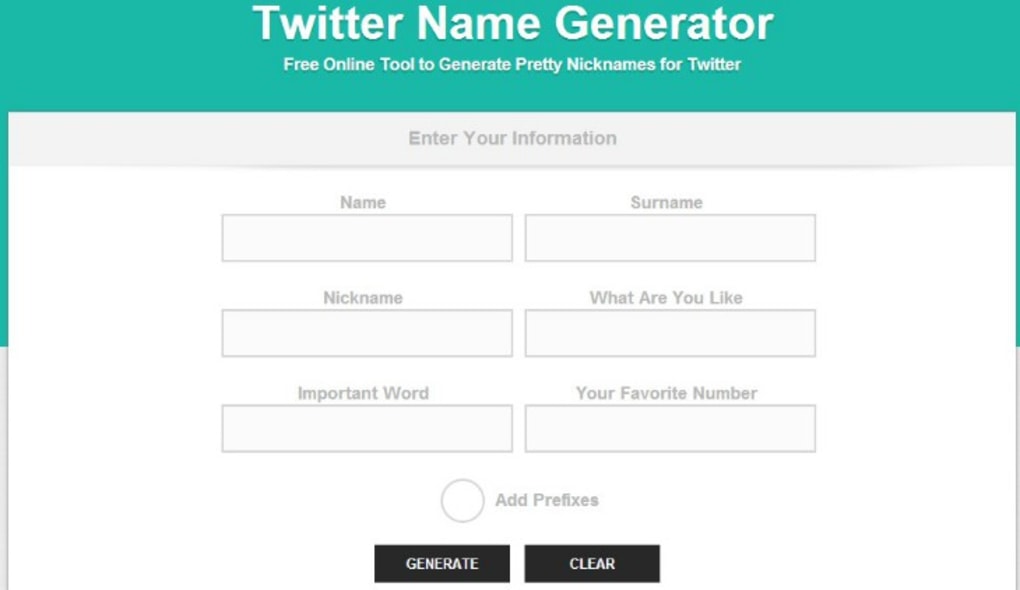
- Enter the required fields:
- Your real name (e.g., Bob Smith)
- Nickname or alias (e.g., “CoolBob”)
- Important word related to your niche (e.g., “Tech”, “Eco”)
- Favorite number or any numeric string (e.g., 7)
- Optional: Special characters or emojis you’d like to include.
- Click the Generate button. Within seconds, the platform displays a list of available handles, each accompanied by a “Copy” button for instant clipboard transfer.
- Review the suggestions. If a handle catches your eye, click Copy and paste it into Twitter’s account creation page or your profile settings.
- Use the Refresh option to generate a new batch if none of the initial results meet your expectations.
The entire workflow is designed to be frictionless, requiring only a few seconds of your time. Because the tool runs in the cloud, it automatically checks Twitter’s database for availability, ensuring that the handles you receive are truly unused at the moment of generation.
Compatibility, Pros & Cons
Twitter Name Generator is compatible with all major operating systems that support modern web browsers, including Windows 10/11, macOS Ventura and later, Android 9+, and iOS 13+. Its responsive layout adapts to any screen size, making it equally functional on a desktop monitor, a laptop, a tablet, or a smartphone.
Pros
- Completely free with no hidden costs.
- Fast, real‑time availability checking against Twitter’s database.
- Highly customizable input fields for personalized results.
- Secure HTTPS connection protects user data.
- Works on any device with an internet connection.
Cons
- Relies on an active internet connection; offline use is not possible.
- Limited to generating handles for Twitter only; does not support other social platforms.
- Occasional delay if Twitter’s API experiences high traffic.
Frequently Asked Questions
Is Twitter Name Generator really free?
Yes, the service is 100% free. There are no subscription fees, hidden charges, or premium tiers. All features, including unlimited handle generation, are available at no cost.
How does the tool ensure the handles are not already taken?
When you click “Generate,” the application sends a request to Twitter’s public API to verify the availability of each suggested handle. Only handles that return as “available” are displayed, minimizing the risk of false positives.
Can I use the generator on my mobile phone?
Absolutely. The website is fully responsive and works on Android and iOS devices. Simply open your mobile browser, navigate to the site, and follow the same steps as on a desktop.
Do I need to create an account to use the generator?
No account is required. The tool operates anonymously, and your input data is not stored after the session ends, ensuring privacy.
What should I do if all the suggested handles are taken?
Try adjusting your input parameters—add a new keyword, change the favorite number, or include a short adjective. Refreshing the generator will produce a fresh batch of possibilities based on the updated data.
Final Verdict & Call to Action
Twitter Name Generator delivers exactly what its name promises: a fast, secure, and completely free way to discover an unused Twitter handle that reflects your personal brand. Its intuitive interface, real‑time availability checks, and cross‑platform compatibility make it a standout tool for anyone looking to join or re‑brand on Twitter. While it cannot function offline and is limited to Twitter only, the advantages far outweigh these minor drawbacks. If you’re ready to secure a memorable handle without the endless trial‑and‑error of manual searches, click the button below to launch the generator and start creating your perfect Twitter identity today.
Generate My Handles Now


.png)



